> ## Documentation Index
> Fetch the complete documentation index at: https://blogbowl.io/docs/llms.txt
> Use this file to discover all available pages before exploring further.
# Introduction
> Create & manage your blogs via API with BlogBowl
## Authentication
BlogBowl API uses token-based authentication.
To authenticate your requests, include an `Authorization` header with your API token.
### Step 1 — Get your token
1. Open workspace settings BlogBowl.
2. Copy your authentication token from the dashboard.
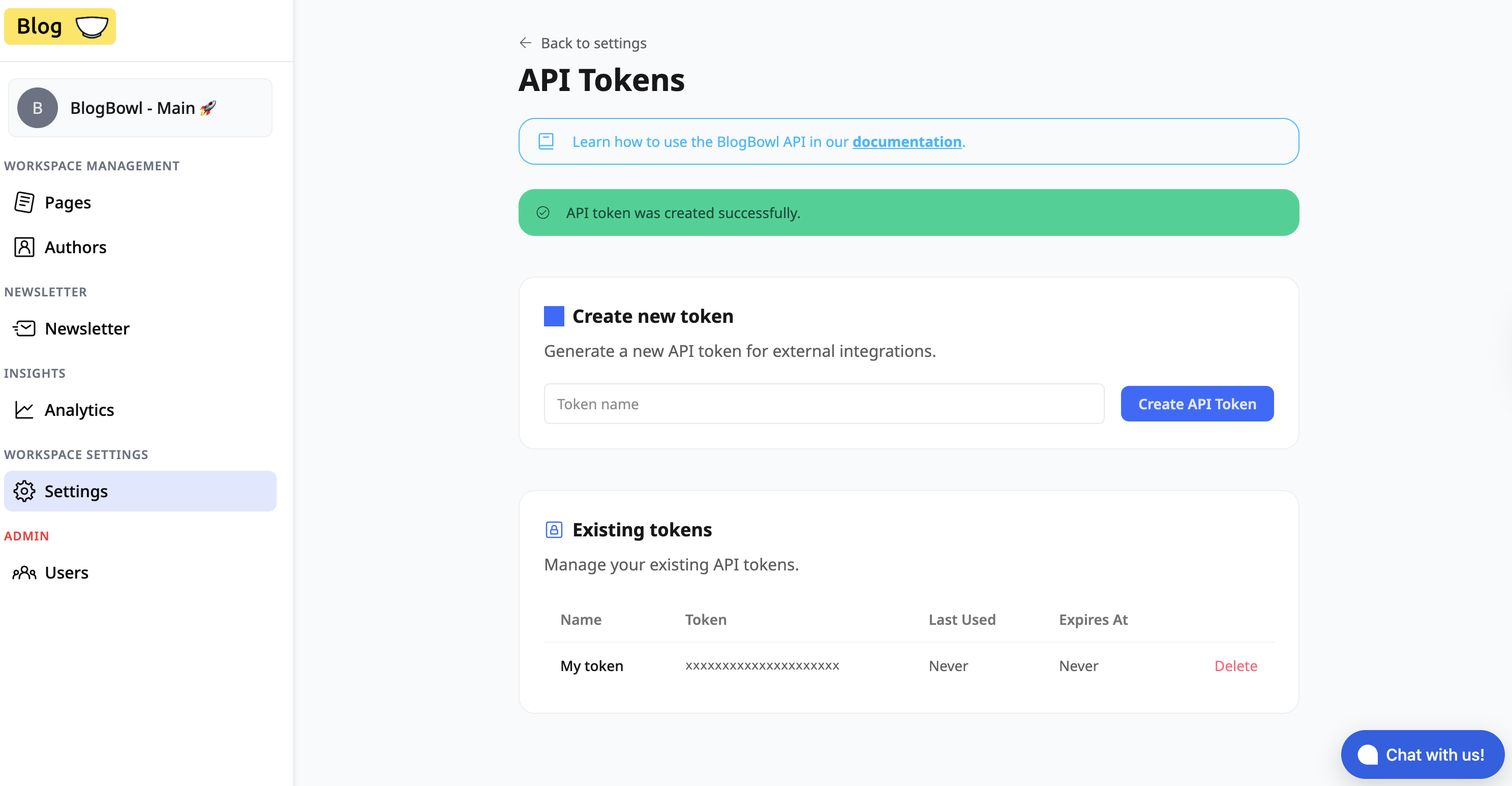 ### Step 2 — Add the Authorization header
Include the token in every API request using the following header:
```
Authorization:
```
### Example
```
GET /api/v1/pages
Authorization: your_token_here
```
### Notes
* Replace `` with the token copied from the UI.
* Keep your token private and do not expose it in public repositories or client-side code.
* Requests without a valid token will be rejected.
### Step 2 — Add the Authorization header
Include the token in every API request using the following header:
```
Authorization:
```
### Example
```
GET /api/v1/pages
Authorization: your_token_here
```
### Notes
* Replace `` with the token copied from the UI.
* Keep your token private and do not expose it in public repositories or client-side code.
* Requests without a valid token will be rejected.