


Introduction: Subpage vs Linktree - the 2025 link‑in‑bio showdown
Creators, founders, and teams rely on a single bio link to route followers to content, offers, and updates. In this link‑in‑bio comparison, we put Subpage and Linktree head‑to‑head to help you choose the best bio link tool for your needs in 2025. From editor UX and customization to analytics, monetization, and pricing, this guide gives you a clear, practical verdict.
What this comparison covers
Who this guide is for: creators, founders, ecommerce brands, agencies, and product teams seeking the best bio link tool for 2025.
What we tested:
Editor UX and setup speed
Customization depth and brand control
Analytics quality and reporting
Integrations and extensibility
SEO/performance considerations
Monetization capabilities
Pricing transparency and total value
How to read this: skim the quick table below, then jump into the deep‑dive sections for details.
Comparison at a glance (skim this first)
Tool | Key use cases | Standout features | Customization level | Analytics depth | Monetization | Custom domain support | Learning curve | Best for |
|---|---|---|---|---|---|---|---|---|
Subpage | Link‑in‑bio hub plus scalable pages (Blog, Help Center, Careers) on your domain | AI‑assisted layouts, built‑in search/forms/tracking, no‑code widgets, roadmap/feedback, cookie consent | High - consistent branding across multiple subpages | Built‑in tracking and page analytics | Indirect (capture leads, applications, feedback) | Yes - DNS‑based on your domain | Easy - built for non‑technical teams | Founders, SaaS, agencies needing a bio link that also powers docs, careers, and content |
Linktree | Quick, polished link hub for social profiles | Fast setup, themes, QR code, audience analytics | Medium‑High - themes, link prioritization, visuals | Robust link‑level insights over time | Yes - tipping, product links, affiliate flows (where supported) | Uses Linktree URL (brandable profile) | Very easy - minimal setup | Creators and ecommerce who want a fast, focused bio link with monetization |
How we evaluated fairly
Hands‑on criteria and scoring approach:
Built a working link‑in‑bio for each tool, replicating a creator/brand stack.
Timed setup (from zero to publish), then graded editor UX and customization depth.
Audited analytics (link‑level data, time windows, filters) and performance signals.
Checked integrations, domain options, and compliance features.
Assessed monetization workflows and friction to first conversion.
Calculated value‑for‑money across free/paid tiers.
Recency note:
Features and pricing verified for 2025 to reflect the latest product updates and capabilities for this link‑in‑bio comparison.
Subpage.app - brand‑first microsites for creators and businesses
What it is in one line: A no‑code, AI‑assisted microsite builder that lives on your domain and spins up branded subpages like Blogs, Help Centers, Careers, and more.
Ideal audience: Brands and agencies who need on‑brand microsites; creators and SaaS teams that want more design control and consistent styling across pages.
Core strengths: High design flexibility, consistent branding via DNS integration, section‑based layouts with built‑in search/forms/tracking, no‑code widgets, and role‑friendly editors (SEO and plagiarism tools for writers, step‑guide tools for support).
Notable limitations: Monetization is indirect (via leads, forms, and workflows rather than native tipping/cart); breadth of features may feel like “more than needed” if you only want a simple link list.
Linktree - the mass‑adopted, integration‑rich standard
What it is in one line: The mainstream link‑in‑bio hub to connect and monetize all your links across social, with fast setup and a familiar UI.
Ideal audience: Creators, ecommerce sellers, and teams who want instant setup, recognizable profiles, and a deep ecosystem of widgets and analytics.
Core strengths: Huge ecosystem, plug‑and‑play widgets, QR support, prioritized links, revenue tools (tipping/commerce where supported), and approachable analytics.
Notable limitations: Heavier reliance on a third‑party URL for your bio identity; advanced customization and branding controls are more constrained than full microsite approaches.
"Linktree surpassed 50 million users in 2024, marking a major scale milestone." - Source
Setup and editor UX: build a page in under 10 minutes
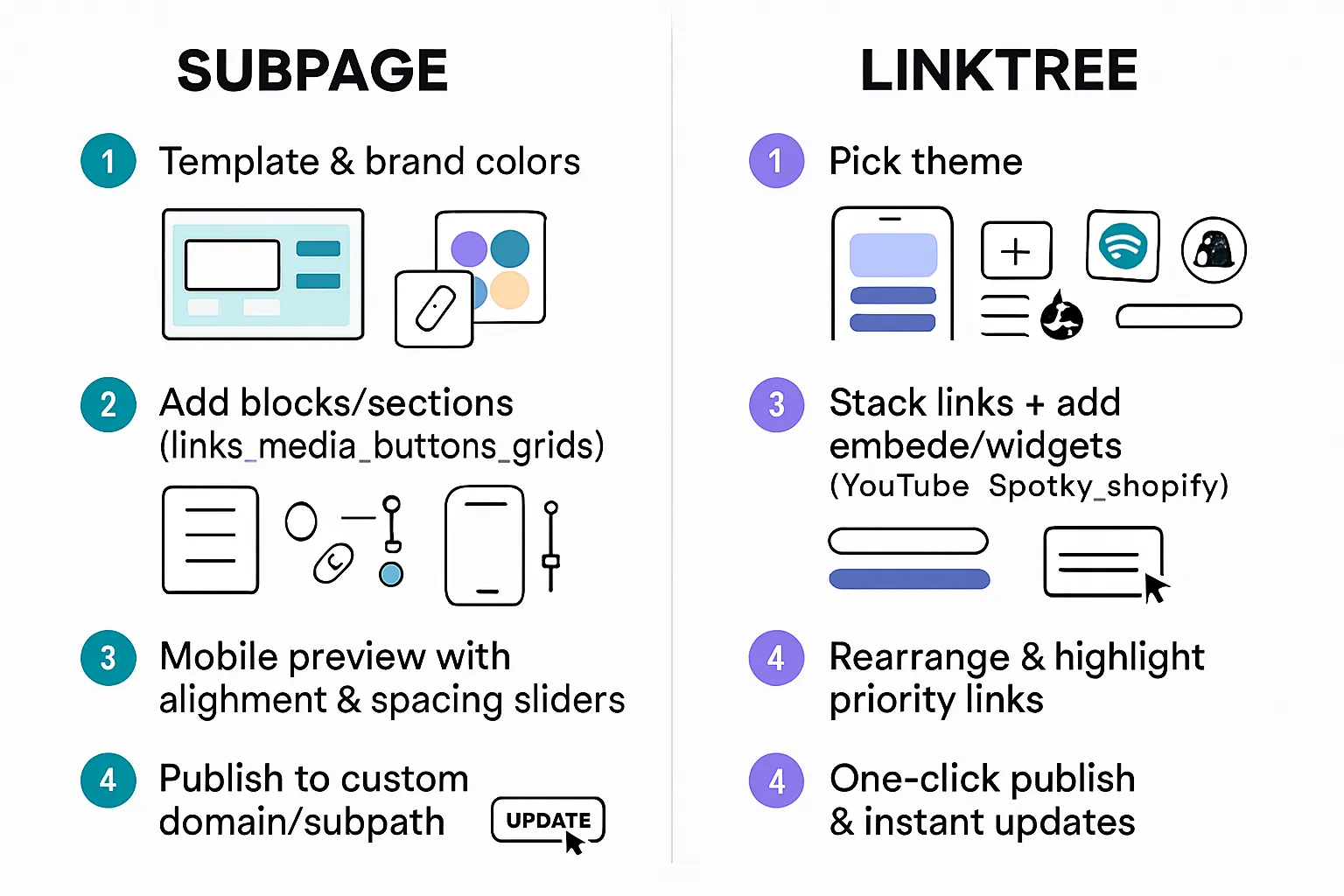
Subpage: first‑publish flow
Template selection + branding in minutes
Block/section model: links, media, buttons, grids
Mobile preview, alignment, spacing controls
Publishing and URL choices; updating workflow
Linktree: fastest route to a live page
Theme pick + instant link stacking
Adding embeds/widgets (YouTube, Spotify, Shopify, etc.)
Basic rearrange, highlight/priority controls
One‑click publish; updating workflow
Side‑by‑side takeaways
Speed to first publish
Learning curve (beginner vs power user)
Editor responsiveness on mobile
Subpage customization
Themes, fonts, color tokens, buttons, card styles
Start with AI‑assisted, professionally designed layouts and refine at the brand‑system level: global color tokens, font pairings, button states, card styles, and iconography. Subpage’s editor is designed for non‑technical teams, so visual changes stay consistent across every block and page type.
Sections/blocks: hero, link lists, media, galleries, CTAs
Build your link‑in‑bio destination using a section‑based model: hero banners, link lists, media embeds, galleries, FAQs, forms, and call‑to‑action blocks. Reorder via drag‑and‑drop and reuse blocks across subpages (e.g., Blog, Help Center, Careers) for a consistent look.
Brand consistency: spacing, radius, shadows, custom CSS (if applicable)
Enforce brand consistency with spacing and layout presets, border radius and shadow controls, and grid alignment. Advanced styling options can be layered thoughtfully; where available, custom CSS should be used sparingly to preserve editor simplicity and future‑proofing.
Embeds and rich media appearance
Rich embeds (video, audio, social, maps) inherit your brand tokens and typography, so media feels native - not bolted on. Built‑in search, forms, and tracking elements match your theme out of the box.
Linktree customization
Themes (free vs paid), fonts, background imagery
Choose from a wide catalog of themes (some free, some paid) and swap in brand colors, fonts, and background imagery - ranging from gradients and patterns to custom uploads - without touching code.
Link styles (buttons, thumbnails), featured links, animations
Toggle between button and thumbnail styles, add featured links, and use subtle animations to draw attention to what matters most. Link grouping and dividers help keep long lists scannable.
Widgets/blocks catalog and how they look on mobile
A large widget library (e.g., video, music, storefront, calendar) drops into your page with sensible defaults. Everything renders mobile‑first, so your layout stays readable and tappable on small screens.
Branding controls; removing platform branding on paid plans
Branding controls let you dial in your page personality quickly; on paid tiers, platform branding can be removed for a cleaner, brand‑forward look.
Verdict on design control
Who gets more “pixel‑level” control
Subpage offers deeper, system‑level control for teams that want a brand‑consistent microsite experience (hero/sections, layout tokens, component styles) across link‑in‑bio and adjacent pages (Blog, Help Center, Careers). Linktree delivers polished customization that’s more than enough for most creators - but with fewer levers for granular layout and cross‑page consistency.
Trade‑offs between speed vs uniqueness
Linktree wins for speed: pick a theme, stack links, and you’re live. Subpage wins for uniqueness and cohesion: you can craft a richer, on‑brand destination that scales beyond a simple link list. In short, Linktree is the fastest path; Subpage is the path to a distinctive, fully branded presence.
Subpage
Custom domain + SSL, www/subdomain options
Configure your link‑in‑bio or microsite on your own domain or subdomain with automatic SSL. DNS‑based integration means it works no matter how your main site is built.
Meta title/description, OG image, indexing controls
Set per‑page meta titles and descriptions, upload Open Graph images, and control indexing where appropriate for discoverability and sharing quality.
Link‑level UTM support; social OG per link (if applicable)
Add UTM parameters to outbound links for campaign attribution; where applicable, tailor OG settings for key pages to improve social previews.
Observed performance patterns; image optimization tactics
Keep media lean with next‑gen formats, lazy‑loading, and consistent sizing across sections to maintain fast renders on mobile and desktop.
Linktree
Custom domain availability and branded URL options
Use a recognizable branded profile URL and QR; custom domain support may vary by plan and implementation.
Meta and OG controls; per‑link metadata tweaks (where available)
Configure page‑level branding and previews; some metadata controls are template‑driven, with granular per‑link previews supported in select widgets.
Pixels and UTM parameters
Add tracking pixels and append UTMs to outbound links to measure channel performance and conversions.
Performance considerations; impact of widgets/embeds
Heavy widgets and multiple embeds can add network requests; balance visual richness with load budgets to keep tap‑through rates high.
Why this matters
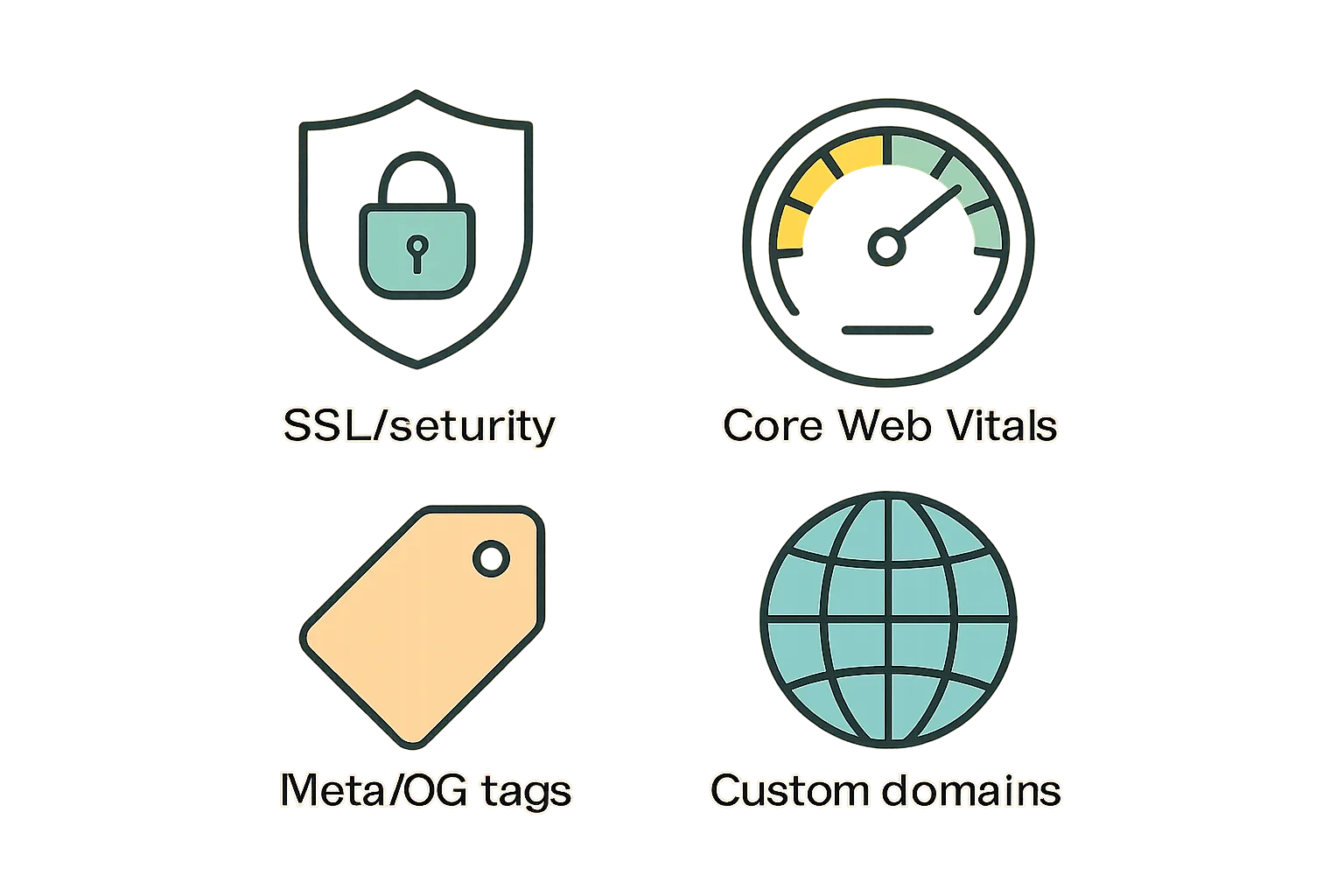
Mobile page speed and Core Web Vitals influence on engagement
Faster bio pages reduce bounce and increase downstream clicks.
Practical tips to keep pages fast (compress media, limit embeds)
Compress images, minimize auto‑play media, and limit third‑party embeds on the first screen. Prioritize critical content and defer non‑essential scripts.
"To provide a good user experience, aim for LCP of 2.5 seconds or less (75th percentile of page loads)." - Source
Subpage
Email capture options (forms, integrations)
Add built‑in forms for newsletter signups, inquiries, job applications, and support requests; route submissions to your tools via integrations or exports.
Direct sales: buttons, checkout embeds, links to product pages
Use CTA buttons and product sections to drive to checkout pages or embed lightweight purchase flows where supported; keep CTAs above the fold for higher conversions.
Tipping/donations (if available)
Link to external tipping/donation services or payment pages; surface them as featured CTAs within hero or sticky sections.
Affiliate/UTM best practices
Append UTMs on outbound links, standardize naming (source/medium/campaign), and pin a “Deals” or “Start here” block to funnel high‑intent clicks.
Linktree
Built‑in tipping/commerce widgets
Native tipping and simple commerce widgets remove friction for creators and nonprofits to accept support and sell digital offerings.
Shopify/Square and other commerce integrations
Connect storefronts to showcase products and route buyers with fewer steps, leveraging well‑known checkout experiences.
Lead gen (forms, email tools) and CRM connections
Drop in email capture blocks and connect to your marketing tools to nurture visitors; track performance with built‑in analytics.
Campaign‑ready features (scheduled links, redirects)
Schedule limited‑time offers, add redirects, and prioritize links dynamically to match promotions and launches.
Which drives more revenue out of the box?

Fastest path to first sale/donation
Linktree’s native tipping and commerce widgets offer the lowest‑friction path for first transactions.
Scaling to storefront‑style pages
Subpage scales into multi‑page, brand‑consistent microsites (Blog, Help Center, Careers) that can host deeper funnels and SEO‑friendly content - ideal when you need more than a single link hub.
Subpage
Built‑in analytics (views, clicks, CTR)
Track page views, unique visitors, and per‑link clicks to understand what drives engagement. Use CTR and top‑link rankings to prioritize layout and calls‑to‑action.
Pixel support (Meta, TikTok, others) and GA4
Add marketing pixels and GA4 to measure conversions and build retargeting audiences across paid channels. Consistent UTM conventions help align Subpage data with ad platforms.
Webhooks/Zapier/Make, email & CRM connectors
Send form submissions and click events to your stack via webhooks or no‑code automations. Pipe leads into your email tool or CRM for instant workflows and attribution continuity.
Linktree
Built‑in analytics and advanced breakdowns
Monitor traffic by timeframe, referrers, geography, and device; review link‑level performance to refine order, styling, and featured placements.
Pixel, GA4, and attribution options
Install pixels and GA4, then reinforce campaign rigor with UTMs to connect social clicks to downstream revenue and ROAS.
App marketplace breadth; notable third‑party widgets
Extend your page with commerce, video, music, and booking widgets; most pass key engagement signals back to analytics for more complete reporting.
Growth stack fit
Retargeting readiness
Both platforms support core pixels and GA4, enabling audience‑building from day one; Linktree’s volume‑friendly profile helps creators monetize quickly, while Subpage’s on‑domain footprint is ideal for brand‑owned data and cleaner attribution.
Multi‑channel measurement and reporting hygiene
Standardize UTMs (source/medium/campaign), map events across bio page → site → checkout, and centralize dashboards. If your team runs a content engine (e.g., a BlogBowl‑powered blog and newsletter), align taxonomy so bio traffic, content engagement, and email conversions roll up into one clear view.
What’s free and what isn’t
Subpage: free tier limits, what unlocks on paid
Free: Core page builder, basic themes/blocks, publish on your domain/subdomain (DNS-based), standard forms and basic tracking.
Paid: Advanced branding controls, expanded blocks (search, galleries, no‑code widgets), role‑specific tooling (SEO/plagiarism checks, step‑guide creator), deeper analytics, priority support, removal of platform badges (where applicable).
Linktree: free tier limits, what unlocks on paid
Free: Fast setup, essential themes, unlimited links, basic analytics, QR, core widgets.
Paid: Advanced themes/branding, scheduled/redirect links, tipping/commerce features (region‑dependent), deeper analytics, pixel integrations, removal of platform branding.
Paid plans compared
Which plan most users actually need
Creators: Linktree’s mid‑tier usually covers analytics, scheduling, and monetization.
Brands/Teams: Subpage’s mid‑tier typically unlocks the brand system, advanced blocks, and team‑friendly controls that scale beyond a single link hub.
Hidden costs to watch (custom domains, advanced analytics, removing branding)
Custom domain routing, analytics depth, pixel support, and branding removal often require paid tiers.
Commerce may include platform or payment processor fees; factor these into ROI.
Value for money by use case
Solo creator on a budget
Linktree free → publish fast; upgrade only for analytics/pixels/tipping.
Brand that needs custom domain + pixels
Subpage paid → brand system, on‑domain publishing, analytics, and growth stack integrations.
Storefront‑style page with embeds
Linktree paid → monetization widgets and storefront integrations; Subpage paid → multi‑page funnels with richer layouts.
Scenario | Must‑have features | Subpage (Free) | Subpage (Paid) | Linktree (Free) | Linktree (Paid) | Watchouts/TCO |
|---|---|---|---|---|---|---|
Fast, zero‑cost launch | Unlimited links, basic analytics, QR | ✅ Basic pages, forms | ✅ Advanced blocks, deeper analytics | ✅ Links, basic analytics, QR | ✅ Scheduling, redirects, pixels | Branding removal and pixels are usually paid |
Brand‑first on your domain | Custom domain, SSL, brand tokens | ✅ DNS‑based domain | ✅ Full brand system, advanced styling | ➖ Branded profile URL | ✅ More branding controls | Domain, DNS, and branding control vary by tier |
Monetization day one | Tipping/commerce, link tracking | ➖ Indirect (via CTAs/forms) | ✅ More funnels/sections | ✅ Core monetization widgets | ✅ Advanced commerce, region‑based | Payment processor/platform fees apply |
Full‑funnel content + help/docs | Multi‑page, sections, search/forms | ✅ Basic blocks | ✅ Blog/Help/Careers‑style builds | ➖ Single‑page focus | ✅ More widgets, but page‑centric | Consider ongoing content ops cost |
Ads + attribution | Pixels, GA4, UTMs | ✅ Basic tracking/UTMs | ✅ Pixels/GA4 integrations | ➖ Limited on free | ✅ Pixels/GA4 on paid | Pixel support often paywalled |
Remove platform branding | Clean enterprise look | ➖ Depends on tier | ✅ Typically included | ➖ Not on free | ✅ On paid plans | Check per‑plan branding policies |
Subpage pros
Strong brand control and on‑page design flexibility
Professional, multi‑section look beyond a simple link list
Custom domain/SEO controls (for brand equity)
Subpage cons
Slightly longer setup for advanced layouts
Smaller ecosystem of plug‑and‑play widgets than Linktree
Linktree pros
Fastest from zero to live; massive integration library
Monetization/tipping and commerce widgets ready to go
Familiar UI for collaborators/clients
Linktree cons
Pages can look similar to others if you don’t customize
Some must‑have features live behind paid tiers
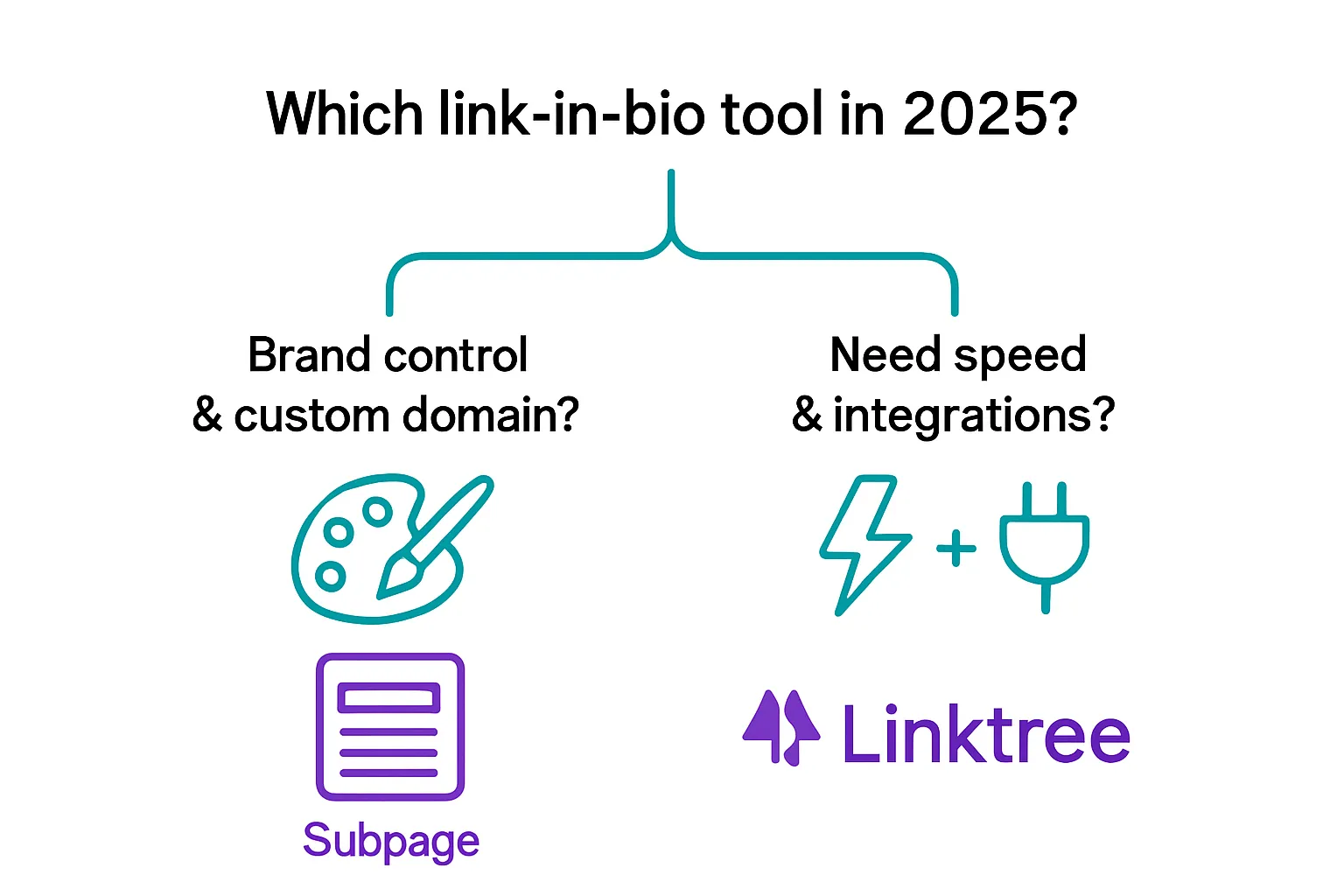
If you value brand polish and control → pick Subpage
Best for: founders/brands who want a mini‑site feel, consistent design, custom domains
You’ll appreciate: section‑based layouts, brand alignment, SEO control
If you value speed, ecosystem, and widgets → pick Linktree
Best for: creators who want fast setup, plug‑ins, tipping/commerce out of the box
You’ll appreciate: integrations, marketplace, quick iteration
Pro tip: grow beyond your bio link
Turn bio‑link clicks into long‑term traffic with a content hub
BlogBowl note: If you need an SEO‑optimized blog, help center, and newsletter that publish themselves (AI‑assisted), pair your bio link with BlogBowl to capture, nurture, and convert the audience you’re sending from social
Next steps
Choose the tool that matches your immediate goal; revisit in 90 days with analytics
Keep pages fast, on‑brand, and focused on one primary CTA