
-cover.webp)

Start blogging fast: What you’ll achieve in the next 30 minutes
The promise
Launch a no-code blog, pick a theme, connect a domain (optional), and publish your first post in 30 minutes.
Built for beginners and busy founders - no plugins, no hosting headaches.
Uses BlogBowl’s AI automation for setup, SEO, and publishing.
"In 2025, the average time to write a blog post increased to 4 hours and 37 minutes." - Source
With BlogBowl, you’ll start your blog faster than traditional setups - no code, no manual plugin wrangling. If you’re searching for how to start blogging, open a blog, or make a blog without tech hurdles, this guide is your 30‑minute shortcut.
What you’ll need (5-minute prep)
A blog topic or audience (e.g., product updates, guides, founder notes).
A working email, brand name, and a simple tagline.
Optional: a custom domain ready to connect.
Outcomes you’ll get
Live, fast-loading, SEO-optimized blog (built to rank in Google and AI search).
One published article (draft or live), newsletter enabled, analytics on.
A repeatable workflow to keep publishing on autopilot - AI-assisted outlines, internal linking, keyword research, and embedded media handled by BlogBowl.
Who this guide is for
SaaS companies, startups, creators, and product teams who want to start blogging fast.
Anyone searching for how to start blogging, open a blog for free, start your blog, start a writing blog, or a no code blog solution.
Pick a platform in 2 minutes: Why no‑code + AI (BlogBowl) beats DIY
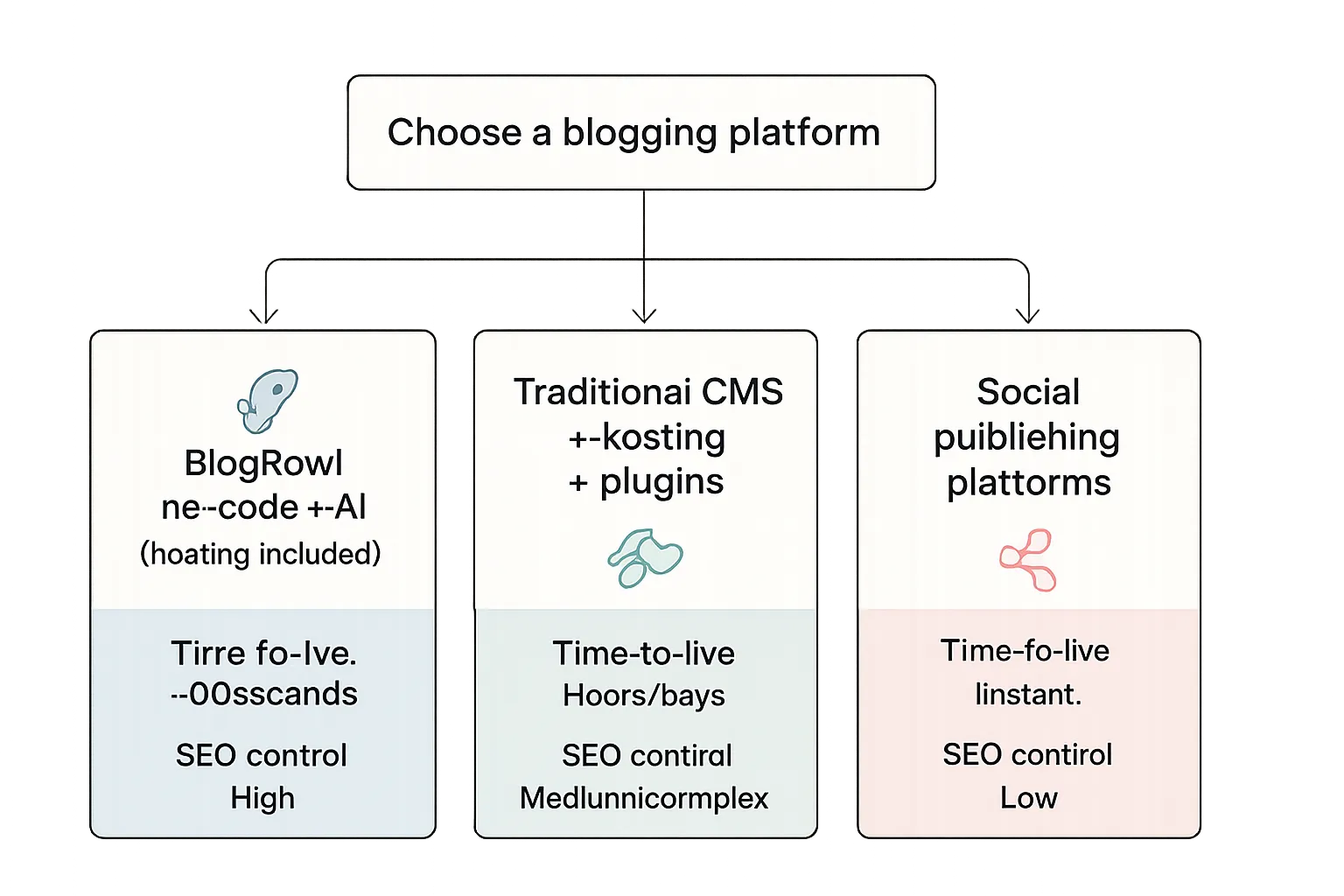
The decision flow
No-code blog builder with AI and hosting included (BlogBowl)
Traditional CMS + hosting + plugins (slower, technical)
Social publishing (fast, but limited ownership and SEO)
"Google emphasizes optimizing Core Web Vitals and fast-loading pages to improve user experience and visibility in Search." - Source
What matters for ranking and reach
Speed, structured content, internal links, strong metadata, and consistent publishing.
Built-in analytics and newsletter to capture and grow audience from day one.
BlogBowl advantages at a glance
Launch in under 60 seconds; automated daily SEO articles (optional).
Automatic keyword research, internal linking, AI images and video embeds.
Fast, SEO-optimized templates designed for Google and AI search.
If you need to open a blog for free
Start on BlogBowl’s free tier to validate; upgrade when you’re ready to connect a custom domain and scale.
No-code blog options for a 30‑minute launch
Approach | Setup time | Domain options | SEO automation | Newsletter | Analytics | Multi‑blog | Cost to start |
|---|---|---|---|---|---|---|---|
BlogBowl (no‑code + AI) | ~60 seconds | Free subdomain; connect custom domain on upgrade | Built-in: keywords, internal links, metadata, AI media | Built-in | Built-in | Yes (unlimited) | $0 (free tier) |
Traditional CMS + hosting + plugins | Hours/Days | Requires domain + DNS setup | Manual via multiple plugins | Plugin or 3rd‑party | Plugin or 3rd‑party | Possible with multisite/instances | Domain + hosting fees |
Social publishing platforms | Instant | Platform subdomain/handle | Minimal; limited control | Built-in followers tools | Platform insights only | No | $0 |
The 30‑minute launch sprint (minute‑by‑minute with BlogBowl)
0:00–0:02 Create your account
Sign up at BlogBowl; name your blog; pick default template.
0:02–0:05 Choose a goal & starter blueprint
Select blog type: product updates, guides, thought leadership, changelog, help center.
Turn on AI automation (optional): frequency, tone, audience.
0:05–0:10 Brand basics
Pick color, font, and layout preset; upload logo; set favicon.
Add site title, tagline, and navigation.
0:10–0:15 Domain (optional now, or do later)
Use temporary subdomain to go live faster.
Or connect your custom domain (A/CAA/CNAME guided flow).
0:15–0:25 Write your first post (no code)
Use AI first draft from a prompt or outline; refine with headings and bullets.
Add 1–2 AI images and an embedded video (auto handled if you enable).
Insert CTA (newsletter signup, demo link) and internal links.
0:25–0:30 SEO, analytics, and publish
Auto-generate meta title/description; confirm URL slug; preview SERP.
Verify analytics is on; enable newsletter capture; click Publish.
After you publish (5-minute bonus)
Auto share to socials (optional); schedule next 2–3 posts in the queue.
30‑minute launch checklist
Minute mark | Action | Tool in BlogBowl | Outcome |
|---|---|---|---|
0:00–0:02 | Create account, name blog, select template | Onboarding flow | Workspace created with default theme |
0:02–0:05 | Choose goal and blueprint; set AI frequency/tone | Blueprint & AI Settings | Prebuilt content structure and AI plan |
0:05–0:10 | Apply brand kit (colors, fonts, logo, favicon); set nav | Brand Kit & Theme Editor | On-brand, navigable blog shell |
0:10–0:15 | Connect domain or use subdomain | Domain & DNS Wizard | Live URL (temporary or custom) |
0:15–0:20 | Generate AI draft from prompt/outline | AI Composer | First draft with headings |
0:20–0:22 | Add AI images and embedded video | Media Studio & Video Embed | Rich, engaging post content |
0:22–0:24 | Insert CTA and internal links | Block Library & Link Suggestions | Conversion path + SEO interlinking |
0:24–0:27 | Auto‑meta, URL slug, SERP preview | SEO Panel | Optimized title/description and clean slug |
0:27–0:29 | Confirm analytics and newsletter | Analytics & Newsletter | Tracking enabled, capture on |
0:29–0:30 | Publish post | Publish | Post live and indexed-ready |
0:30–0:35 (bonus) | Auto-share, schedule next posts | Social Autoshare & Queue | Distribution and consistent cadence |
Design in 5 minutes: Pick a theme and make it on‑brand
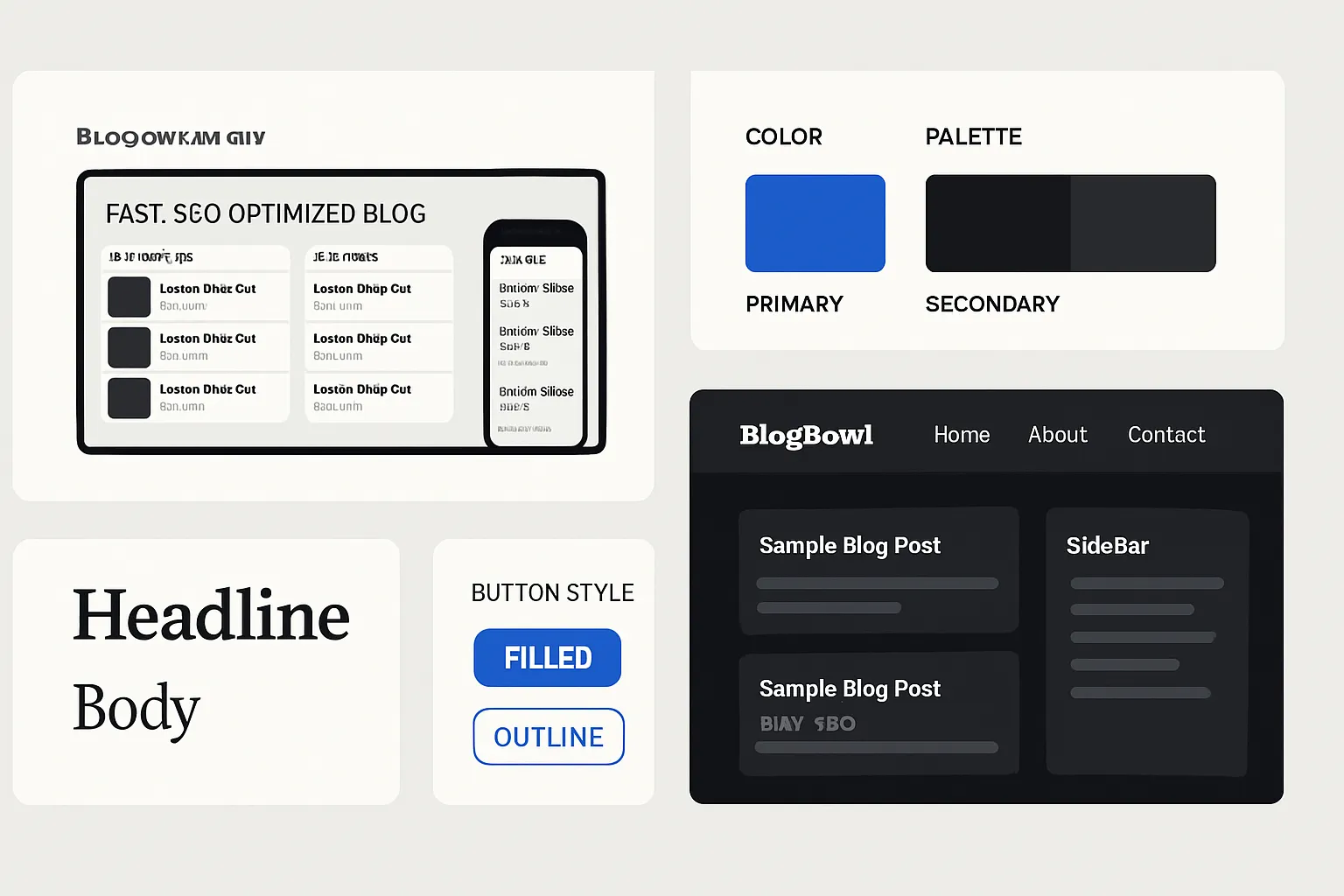
Choose a fast, SEO‑ready template
Grid vs. list layouts, sidebar or full-width, dark/light.
Accessibility contrast presets and mobile typography.
Brand essentials (no designer needed)
Color system (primary/secondary), font pairing, button styles.
Logo placement, favicon, and header navigation best practices.
Layout wins that reduce bounce
Readable line length, scannable subheads (H2/H3), short paragraphs, table of contents.
Pro tip
Save your brand preset to reuse across multiple blogs (product blog, changelog, help center) inside BlogBowl.
Write and publish your first post in 10 minutes (start a writing blog fast)
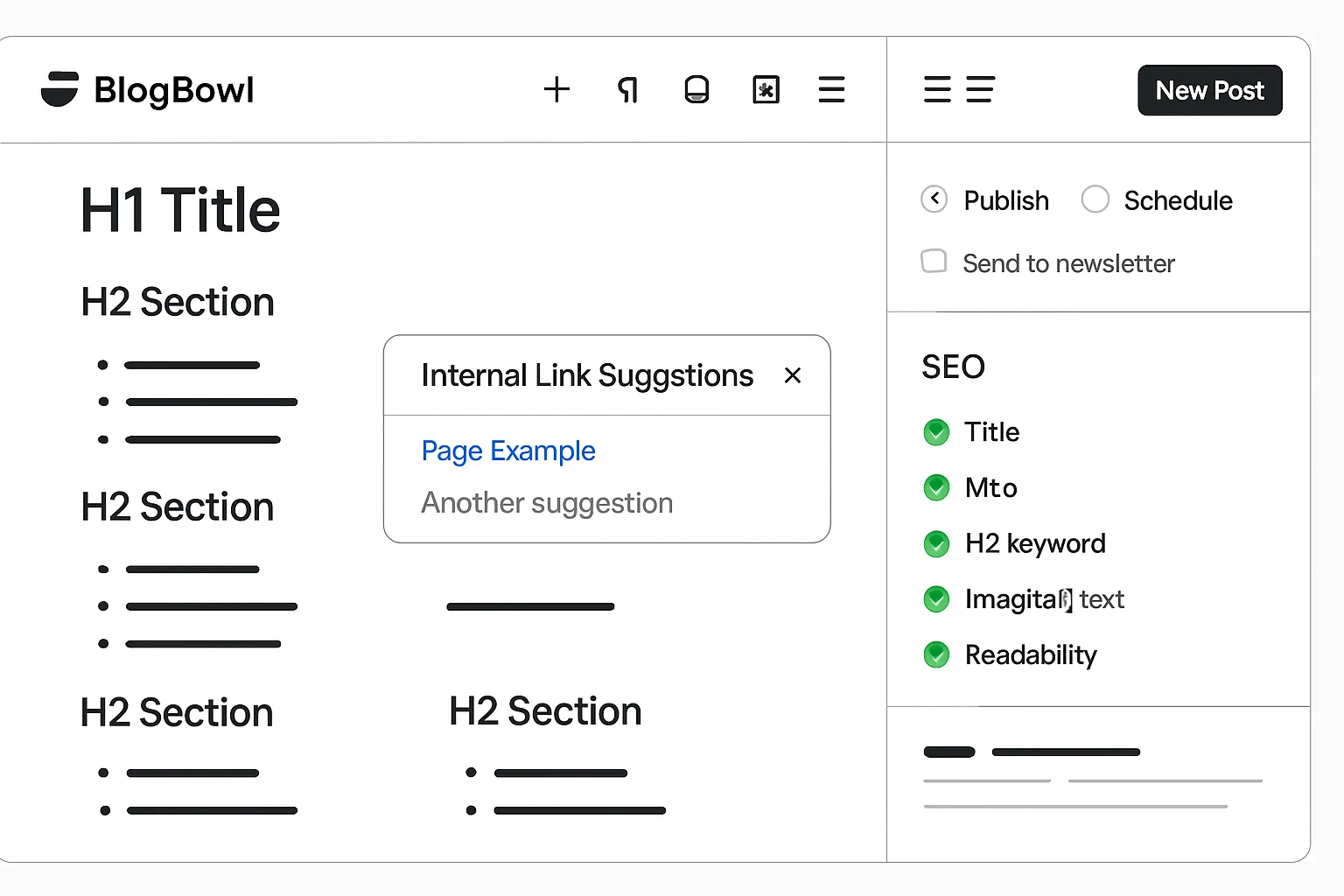
Use this simple outline
Hook (problem or promise in 1–2 sentences)
Context (why it matters)
Steps/solution (H2 sections, bullets)
Proof/support (example, visual, stat if relevant)
CTA (what to do next: subscribe, try product, read guide)
Speed-writing with AI (you stay in control)
Prompt with topic, audience, tone, and key points.
Ask for outline first; approve; then generate sections.
Replace generic lines with your specifics (data, screenshots replaced by original images, quotes).
Optimize while you write
Auto heading structure, internal links to your core pages, and image alt text.
Auto-generate meta title/description; confirm primary keyword appears in title, intro, and one H2.
Hit publish
Choose live now vs. schedule; add to newsletter send (optional) from the same editor.
SEO and analytics in 5 minutes (blog how to create search‑ready content)
On‑page essentials
Title tag (55–65 chars), meta description (140–160 chars), descriptive slugs.
One primary keyword; semantic variants in subheads.
Internal links to core pages and related posts; outbound authority link if useful.
Technical basics (auto‑handled by BlogBowl)
Fast templates, XML sitemap, RSS, canonical tags, schema for articles.
Turn on measurement
Privacy‑friendly built‑in analytics; connect GA4 if needed.
Track top posts, search terms, and conversions (newsletter, demo clicks).
Scale with automation
Enable daily or weekly AI briefs and drafts for your target topics.
Automatic internal linking map across posts to compound SEO.
"30% of companies receive between $36 and $50 for every $1 spent on email marketing; some see even higher returns." - Source
Connect your domain, newsletter, and legal pages (5 minutes)
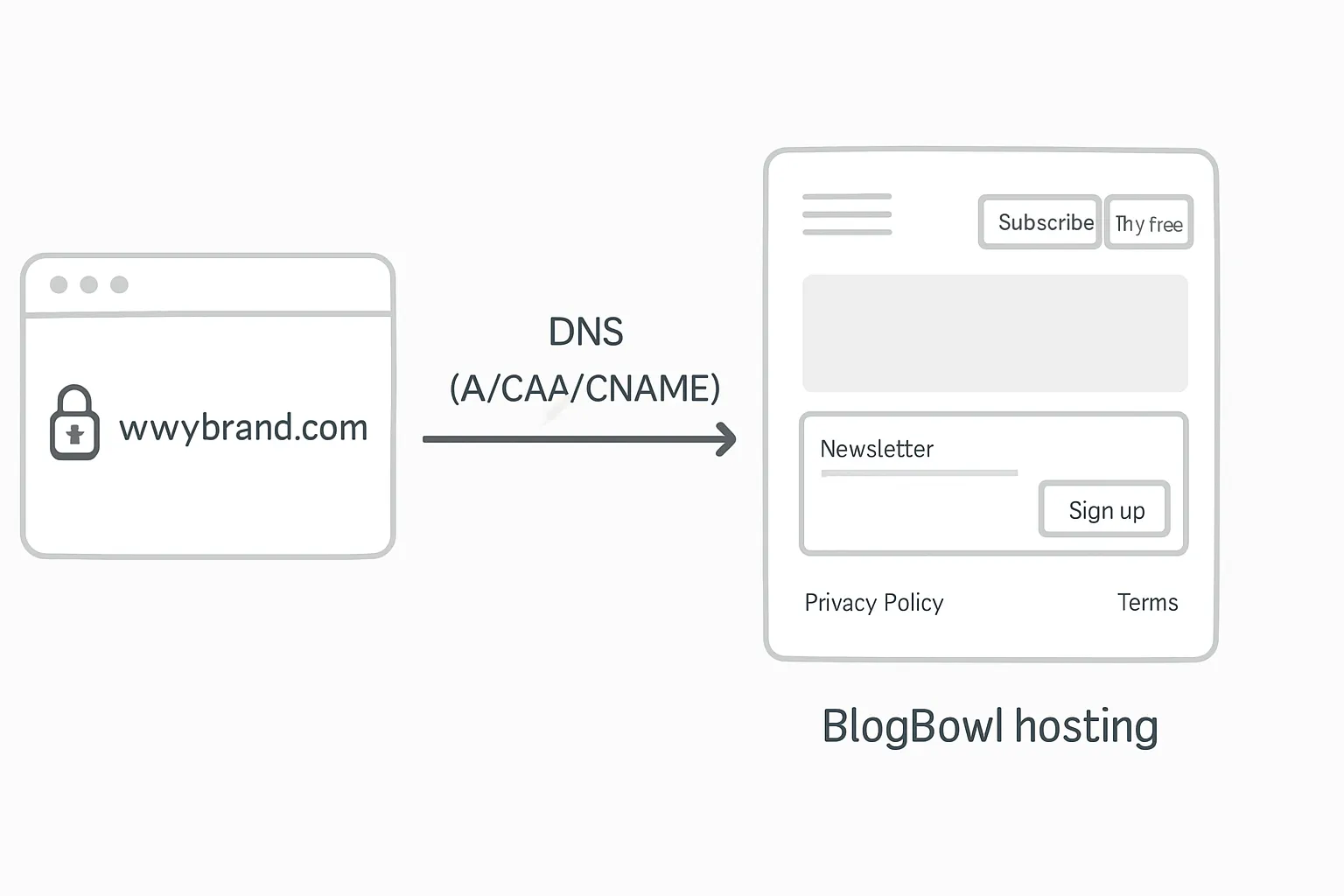
Domain connection (no code)
Guided DNS steps for A/CAA/CNAME; automatic SSL; instant preview on subdomain while propagates.
Newsletter ready in one click
Built‑in subscribe forms; double opt‑in; welcome email template.
Segment by interest or product tier later.
Must‑have pages
About, Contact, Privacy Policy, Terms; link in header/footer.
Add a simple editorial policy to build trust.
CTA framework sitewide
Header button (Subscribe / Try free), end‑of‑post CTAs, and slide‑in.
Promotion plan: 24‑hour launch checklist to get first readers
Immediate (0–1 hour)
Share the post to LinkedIn, X, Reddit niche, and relevant Slack/Discord communities.
Send the post to your newsletter (or a launch note if list is new).
Short term (Day 1–7)
Add 2–3 internal links from existing pages (pricing, docs, about) back to the post.
Repurpose into a short video, carousel, or email snippet.
Add a related post block to keep readers on site.
Lightweight outreach
Identify 5 creators/sites that cover your topic; share a helpful note and your guide.
Offer a quote or data point for their next piece; invite them to reciprocate.
Automate next steps
Queue 2–3 related posts in BlogBowl; enable automatic internal linking between them.
Troubleshooting and quick wins (make a blog that looks pro)
If your site looks off on mobile
Reduce H1 size and line length; use system fonts; increase paragraph spacing.
Set max-width for content (60–75 characters per line); enable responsive images.
Hide nonessential sidebar elements on small screens; keep CTAs full‑width.
If bounce rate is high
Lead with a benefit‑driven headline; add a TOC; move CTA below first section; use descriptive subheads.
Front‑load value with a short executive summary; break walls of text with bullets.
Add “related posts” above the fold on longer articles to create easy next clicks.
If posts aren’t indexing
Ensure sitemap is live; avoid duplicate titles; add a unique intro; link from an indexed page.
Use a concise, keyword‑aligned H1 and distinct meta; avoid thin or near‑duplicate content.
Check canonical tags; submit the URL in Search Console after internal linking.
If writing feels slow
Start with bullet outline; write short sections; let AI expand; replace with specifics.
Draft visuals first (tables, screenshots) to anchor sections; write around them.
Use a repeating section formula (Problem → Steps → Result → CTA) to stay consistent.
Accessibility quick checks
Color contrast, alt text, focus states, and link clarity.
Use real buttons for CTAs (not images); ensure keyboard navigation works.
Provide descriptive link text (“Download pricing PDF”) instead of “click here.”
Wrap‑up: Start your blog today with BlogBowl (free to try)
Why BlogBowl now
Launch in minutes, publish in 30, grow on autopilot with AI.
Fast, SEO‑ready templates, built‑in newsletter, privacy‑friendly analytics.
No code, no plugins, no hosting headaches - just start blogging and scale.
Your next step
Create a free BlogBowl account, choose a theme, and publish your first post today.
Turn on AI drafts to keep your content pipeline full - focus on strategy while BlogBowl handles setup, SEO, internal links, and media.
Call to action
Start free at https://www.blogbowl.io and get your first post live in the next 30 minutes.