


Introduction: Outrank vs Surfer SEO at a glance
Why this comparison
AI-driven search and zero-click results are reshaping discovery. Ranking isn’t enough - your content must be structured, fast, and optimized to surface in Google and AI chats.
Outrank and Surfer SEO tackle this differently: automation-first (Outrank) vs optimization-first (Surfer). This guide helps you decide which path fits your workflow.
If you want end-to-end blog operations without code, BlogBowl pairs seamlessly with either tool - giving you AI-powered publishing: fast SEO templates, hosting, analytics, and a built-in newsletter all in one place.
"Approximately 64.82% of Google searches ended without a click in 2020." - Source
Who this is for
Solo creators balancing output and quality
In-house marketers optimizing content ROI
Agencies scaling process and delivery
SaaS/product teams choosing between content automation vs optimization depth
Evaluation criteria
Content quality and control
Optimization depth
Speed and automation
AI/LLM visibility readiness
Integrations and publishing
Collaboration and governance
Pricing and overall value
Comparison at a glance
Tool | Focus | Best For | Key Features | Starting Price | Notable Limitations |
|---|---|---|---|---|---|
Outrank | Automation-first content production and on-page SEO | Teams that want high-velocity, hands-off content creation and publishing | AI-written long-form drafts, SERP-informed briefs, auto-publishing to major CMSs, multi-language support | $99/month | Requires editorial QA to maintain voice/accuracy; setup/brand tuning needed |
Surfer SEO | Optimization-first, data-driven on-page improvements | Writers/SEOs who want granular control and optimization depth | Content Editor with NLP entities, Auto-Optimize, internal link insertion, AI Assistant, AI Detector/Humanizer | $119/month | Credit/feature limits by plan; AI drafts still need human editing; more manual workflow |
"In 2020, ~65% of Google searches ended without a click - an early indicator of rising zero-click and AI-driven behavior relevant to 2025." - Source
How we tested (methodology you can replicate)
Test scenario
We selected one mid-intent keyword in a SaaS niche (clear informational/commercial intent, 800–1,500 MSV, stable SERP).
Objective: publish a fully optimized, fact-checked article that aligns with top SERP entities and sections, while retaining brand voice.
Controls: same topic scope, target length (1,500–2,000 words), reading level (Grade 8–10), and two human reviewers applying a shared editorial checklist.
Workflow steps evaluated
Research/brief building
Generated a SERP-aligned brief with entities, questions (PAA), headings, and competitor gaps.
Locked an outline to use across drafts where tools allowed.
First draft quality (AI assistance)
Produced a first draft via each tool’s AI where available; otherwise imported a neutral human draft to optimize.
Assessed factual grounding, structure coherence, redundancy, and hallucination rate.
Optimization guidance (NLP/terms, structure, internal links)
Measured clarity and actionability of on-page guidance: entities/terms, heading balance, word count, images, and suggested internal links.
Publishing/export options
Exported to a staging blog; tested direct CMS export vs copy/HTML export.
Validated metadata, schema where applicable, and image handling.
Time-to-publish and reviewer effort
Tracked minutes spent per step (brief → draft → optimize → edit → publish).
Logged number of reviewer passes and edits required to hit acceptance criteria.
Metrics we looked at
Content score and coverage (SERP-aligned topics/terms)
Average content score across tools; % of critical entities covered; alignment with top-5 SERP sections.
Editorial control and brand voice settings
Availability and effectiveness of tone/style controls; ease of enforcing brand rules; rewrite precision.
Automation level (brief → draft → optimize → publish)
Steps automated end-to-end; number of manual interventions; reliability of one-click actions.
Collaboration and approval flows
User roles, comments/assignments, versioning, and audit trail; fit for single editor vs multi-stakeholder teams.
Cost per article (credits/limits)
Effective per-article cost factoring plan limits, AI credits, and any add-ons for optimization or exports.
Outrank: Automation-first AI SEO content engine
What it is (1–2 sentences)
An AI-driven platform that automates keyword research, long-form article generation, optimization, and auto-publishing - plus a built-in backlink exchange network. Designed to keep content pipelines running with minimal manual lift across multiple sites.

Standout features
Automated briefs and long-form drafts (multi-language)
Auto-publishing to WordPress, Webflow, Shopify, Notion
Internal linking and backlink exchange network
Team collaboration and brand voice controls
Where it shines
High-velocity content pipelines and multi-site management
Hands-off publishing with minimal tool-switching
Potential drawbacks
Requires clear upfront brand and QA guidelines
Credit/volume tiers can affect heavy users’ costs
Best for
Agencies and lean teams that need scale and automation across multiple sites.
Integrations and workflow
CMS connectors, API access; suggested QA checklist before auto-publish.
Surfer SEO: Optimization-first content intelligence
What it is (1–2 sentences)
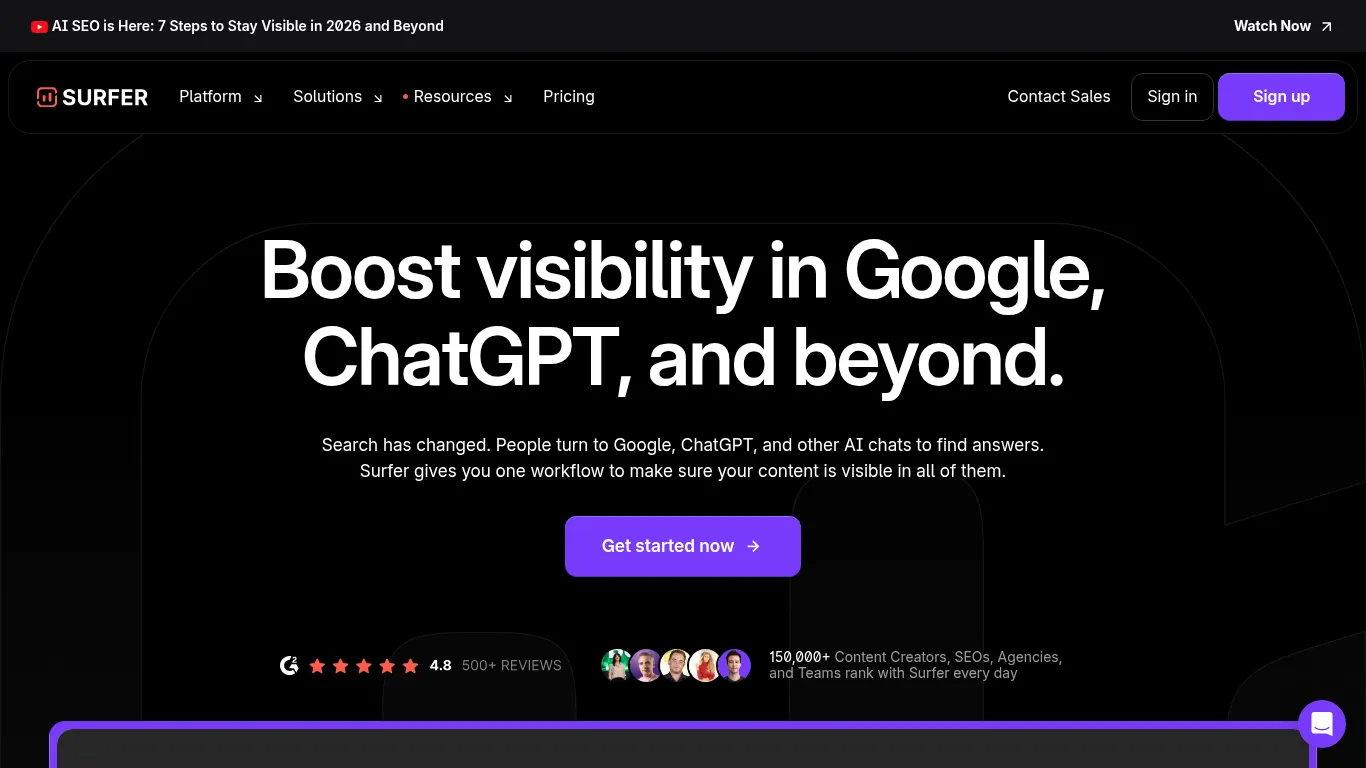
A content optimization suite with editor scoring, SERP-driven guidance, content audits, and optional AI drafting to speed up briefs and first drafts. It’s built to help writers and editors produce search-ready content with granular, real-time recommendations.
Standout features
Content Editor with NLP terms and real-time scoring
Surfer AI (first-draft generation aligned to SERP data)
Content Audit and Keyword/cluster planning
Internal linking suggestions
Where it shines
Writer-friendly optimization with granular guidance
Upgrading existing content and building topical clusters
Potential drawbacks
AI drafting and audits use credit systems; costs can scale with usage
Less automation for publishing; relies on your CMS stack
Best for
Content teams and editors who want hands-on control and deep optimization.
Integrations and workflow
Works well alongside Google Docs/WordPress; pair with your CMS/process for publishing.
Feature-by-feature comparison (what matters in practice)
Capability | Outrank | Surfer |
|---|---|---|
Research and brief building | Automated SERP-based briefs with entities, PAA, competitive sections; built for scale across multiple sites/languages. | Data-rich briefs from SERP analysis via Content Editor/Planner; strong keyword clustering and topic discovery. |
Draft creation and brand control | AI long-form drafts in multiple languages; brand voice presets and rewrite controls; auto internal linking plus backlink exchange network. | Surfer AI generates SERP-aligned first drafts; granular rewrite tools (Auto-Optimize, Humanizer); strong editor-side tone control. |
Optimization depth (NLP, competitors, structure, internal links) | Guided on-page optimization with topic/entity coverage; internal linking and backlink network baked in. | Deep, writer-friendly optimization: NLP entities, term usage, headings, word count, images; automated internal link suggestions. |
AI/LLM visibility readiness (coverage depth, entity handling) | Emphasis on comprehensive topical coverage and link authority to support AI/LLM surfacing. | Optimizes around entities and topical context that Google and AI chats look for; clear guidance to fill coverage gaps. |
Publishing automation and CMS integrations | Auto-publish to WordPress, Webflow, Shopify, Notion; API for custom flows; minimal tool-switching. | Export/copy for CMS; less focus on publishing automation - built to integrate with your existing stack (Docs/WordPress). |
Collaboration, approvals, governance | Multi-user collaboration with workflow steps; recommended QA checklist before auto-publish. | Commenting, shared guidelines, and team workflows inside the editor; approvals largely handled in your CMS/process. |
Analytics and iteration (audits, decay, refresh) | Operational analytics across multi-site pipelines; link building visibility; focus on throughput and growth. | Content Audit highlights gaps vs current SERPs; performance hub (Sites) for monitoring and refresh planning. |
Time-to-publish and reviewer effort | Fastest for high-velocity pipelines due to brief → draft → optimize → auto-publish flow; light but essential QA needed. | Quick optimization cycles; first-draft generation available, but publishing remains manual - review time focused on polishing depth. |
Cost per article (credits/limits) | Volume tiers for drafts/outputs; costs scale with automation volume (good for agencies at scale). | Credit-based for AI drafts/audits; costs scale with article count and feature usage. |
Internal linking | Automated internal linking suggestions and insertion; plus backlink exchange network to boost authority. | Auto Internal Links suggests and inserts relevant links; strong control from within editor/workspace. |
Backlinking | Built-in backlink exchange network to accelerate authority. | No native link network; relies on content quality, internal links, and separate link-building efforts. |
Multi-language support | Broad multi-language generation and optimization for global campaigns. | Supports multiple languages across editor, NLP terms, and planning tools (varies by feature). |
API & extensibility | API access for custom pipelines and enterprise workflows. | Integrates with Docs/WordPress; workflow extensibility via your CMS and process stack. |
Best-fit scenarios | End-to-end automation and publishing for multi-site, high-output teams. | Granular optimization and content upgrades for hands-on writers/editors building topical authority. |
Content quality and control: avoiding AI sameness
Prompting and brand voice
Define tone, audience, and must-include brand messages in your prompts or style guide fields. Use consistent terminology, product names, and POV to avoid generic phrasing.
Favor tools that let you lock voice presets and provide source constraints (docs, URLs) so drafts are grounded in your verified materials.
Human-in-the-loop QA
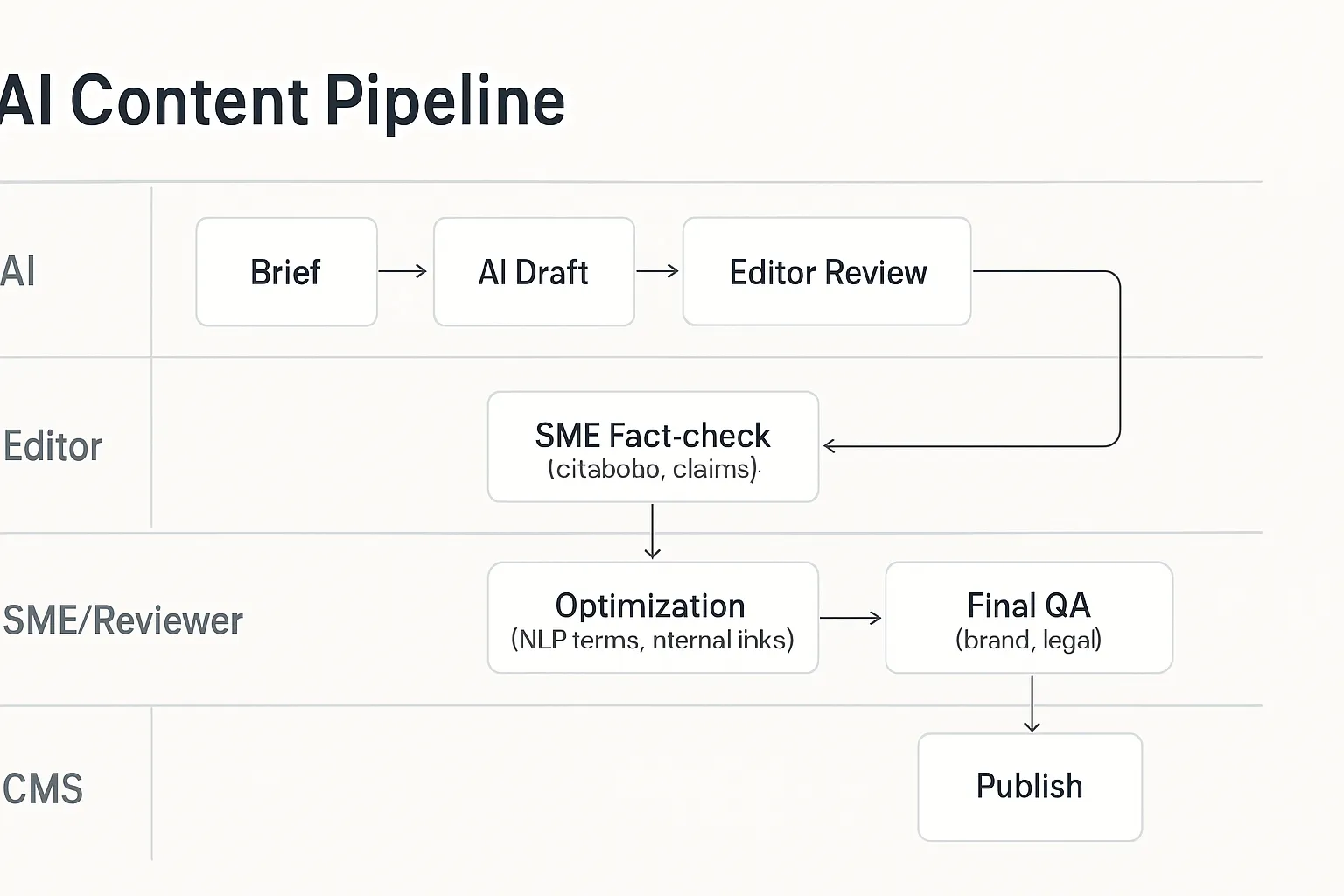
Build a two-pass review: editor for narrative, clarity, and originality; SME for facts, claims, and compliance.
Require citations for statistics and proprietary claims; replace generic statements with product-specific proof and examples.
Run plagiarism and AI-style checks; add unique screenshots, data, and anecdotes to differentiate.
Entity/coverage depth
Map entities (products, features, industries) and FAQs the draft must cover; ensure internal links to your authoritative pages.
Add structured data where relevant (Article, FAQ, HowTo) to improve SERP and AI/LLM comprehension and snippets.
Practical workflow
Brief → draft → fact-check → SME input → optimization → publish.
Pricing and value: total cost of ownership
What to consider beyond list price
Credits and overage costs for AI drafts/audits: Understand how many AI generations, audits, or optimization reports are included and the overage rate if you exceed them.
Number of articles per month, seats, and sites: Plans often cap monthly articles, user seats, and connected domains - match these to your actual pipeline and team.
Time saved through automation vs manual optimization: Factor in the hours saved on research, drafting, optimization, internal linking, and publishing when comparing tools.
Typical starting tiers (non-binding, verify at checkout)
Outrank: Entry tier positioned for monthly long-form volume; best for teams prioritizing automated briefs, drafts, and auto-publishing at scale.
Surfer: Essential/Scale tiers focus on optimization depth; AI drafting and Content Audit typically draw from separate credit pools.
Cost-per-article lens
Start with monthly throughput: New posts + refreshes/updates.
Estimate per-article credits: Brief + draft + optimize + audit (as needed).
Calculate effective CPA: (Monthly subscription + expected overages) ÷ total articles optimized/published.
Blend workloads: Pair new content with targeted refreshes to maximize ROI under a single plan.
Tips
Run a 30-day pilot: Track time-to-publish, editor/SME hours, and credits used per article.
Standardize a QA checklist: Reduce rework and keep credit usage predictable.
Reassess quarterly: If content mix shifts (more updates, fewer net-new), switch tier or add-on accordingly.
Who should choose which? (use-case mapping)
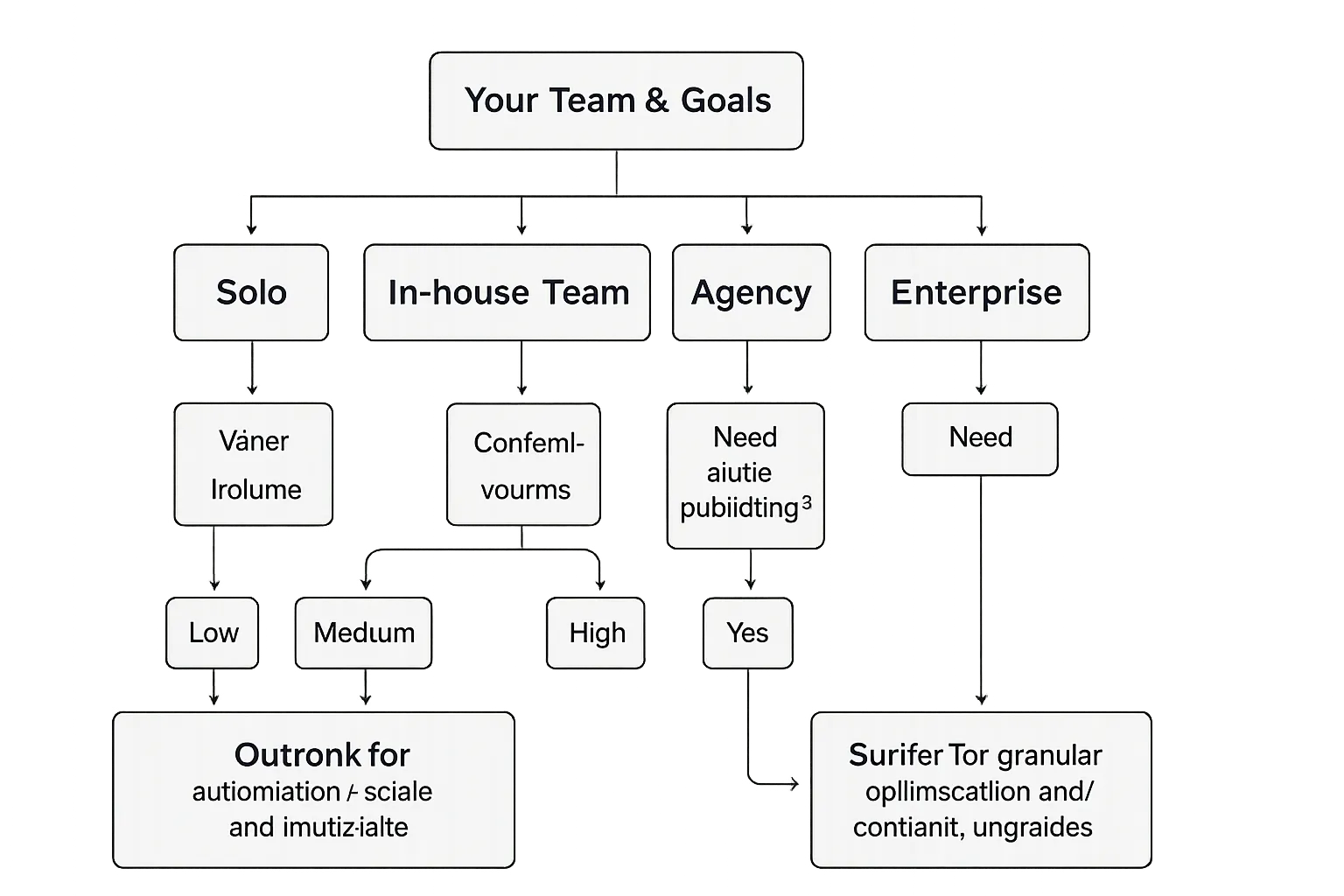
Solo creator / founder-led marketing
Outrank if you want a largely hands-off pipeline that turns briefs into published posts with minimal intervention.
Surfer if you enjoy editing, crafting tone, and iterating with granular optimization guidance.
In-house content team (SaaS/Startup)
Surfer to elevate editorial quality, refresh existing content, and build topical clusters.
Outrank to scale net-new articles fast across product lines or regions.
Agencies / multi-site portfolios
Outrank for automation across clients, API workflows, and high-velocity multi-site publishing.
Surfer for client-facing optimization reports, content audits, and controlled, writer-led improvements.
Enterprise considerations
Prioritize governance, approvals, and QA policies. Choose the platform that best fits your compliance, brand guardrails, and publishing workflow.
How BlogBowl fits in your stack (optional third path)
When you need a publishing engine, not just a writing tool
Launch a fast, SEO-optimized blog with hosting, best-practice templates, privacy-friendly analytics, and a built-in newsletter - no code, no complex setup. BlogBowl gets you live in under 60 seconds so you can focus on content and growth.
Pairing ideas
BlogBowl + Surfer: Keep editorial control and use Surfer’s granular optimization, then publish into a high-performance BlogBowl blog with automatic internal linking, built-in analytics, and easy brand customization across layouts, colors, and typography.
BlogBowl + Outrank: Run automated content pipelines and auto-publish directly to a polished, fast-loading BlogBowl blog with minimal ops overhead. Manage multiple blogs and domains, add authors, and let BlogBowl handle the tech.
Value add
Reduce tool sprawl with BlogBowl’s automation: internal linking, keyword research, AI images/video embeds, integrated newsletter, and privacy-friendly analytics - all designed for speed, scalability, and SEO performance across unlimited blogs, changelogs, and help docs.
Final verdict: which one should you choose?
Quick guidance
Choose Outrank if speed-to-scale and auto-publishing across multiple sites is your priority.
Choose Surfer if hands-on control, audits, and content upgrades are central to your workflow.
Our nuanced take
Many teams succeed using both: Outrank for net-new velocity, Surfer for optimization and refresh cycles. This hybrid approach balances throughput with quality, letting you capture new keywords fast while steadily elevating your flagship pages.
Next step
If you also want the publishing stack handled (hosting, templates, analytics, newsletter) - explore BlogBowl to pair with your chosen tool and go from content plan to live post in minutes. BlogBowl gives you fast SEO-optimized templates, built-in analytics, newsletters, and automation like internal linking and AI media, so you can focus on strategy while we handle the tech.