


Introduction
Choosing a Google blog platform in 2025 often comes down to two free, Google-owned options: Google Blogger (Blogspot) vs Google Sites. In this guide, you’ll get a clear, side‑by‑side view of setup speed, templates, SEO controls, analytics, custom domains, monetization, and migration tips - so you can decide whether to build a classic google website blog with Blogspot Google (aka Google Blogger Blogspot) or try using Google Sites as a blog for simple pages.
If you’re a team that needs automation-first publishing, advanced SEO, built-in analytics, and custom domains without any setup headaches, consider BlogBowl - an AI-powered alternative that lets you launch fast, automate content, and grow with analytics and newsletters.
Comparison at a Glance (Quick Verdict)
Blogger is a purpose-built blogging tool with posts, labels (categories), RSS feeds, comments, and easy AdSense monetization - ideal for straightforward google blog hosting and simple google blog examples. Google Sites, by contrast, is a lightweight site builder better for basic pages/wikis and internal hubs; it lacks native blogging essentials, so using Google Sites as a blog requires manual workarounds.
Feature | Google Blogger (Blogspot) | Google Sites |
|---|---|---|
Best for | Classic blogs, personal/hobby sites, simple monetization | Basic pages, internal wikis, project hubs |
Setup time | Under 5 minutes | Under 5 minutes |
Templates | Blog-focused themes (limited but purpose-built) | Small, general site template gallery (not blog-specific) |
Editor type | Post editor (word-processor style) + HTML/CSS tweaks | Drag-and-drop sections/blocks |
Blogging essentials (posts, categories/labels, RSS, comments) | Yes: posts, labels, RSS, built-in comments | No native posts, no labels, no RSS, no native comments |
SEO controls | Basic SEO (titles, meta, robots.txt, custom redirects) | Very limited SEO controls |
Analytics | Built-in stats + Google Analytics integration | Google Analytics integration via settings |
Custom domain | Supported | Supported |
Monetization | Native AdSense integration | No native monetization (manual embeds only) |
Collaboration | Invite multiple authors | Strong real-time collaboration via Google sharing |
Data export | Easy export (XML) and backups | Limited export; works via Google Takeout/duplication |
Learning curve | Very easy for blogging | Easy for simple sites, harder for blogging workarounds |
Both are free and connect with your Google account.
Who Each Platform Is For
Choosing the right google blog platform depends on your goals, team, and how much structure you need. Here are the most common scenarios.
Blogger - Best For
Personal journals, hobby blogs, simple newsletters, and learning-to-blog.
Users who want built-in comments, labels, archives/RSS, and AdSense monetization.
Google Sites - Best For
Internal wikis, simple public sites, school/class projects, lightweight product documentation.
Teams who need easy collaboration and embedding Drive files, but not a full blog CMS.
Quick decision cues
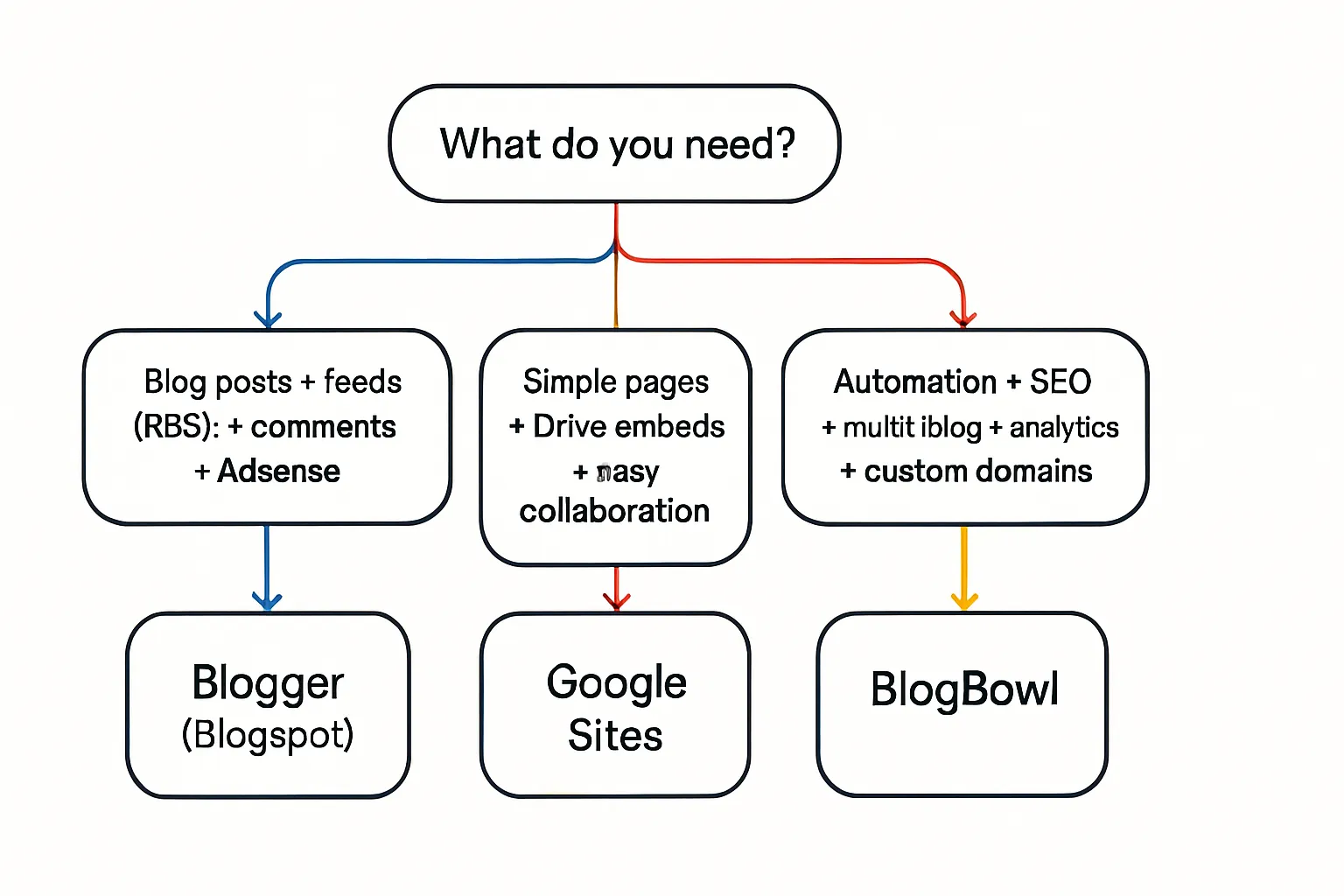
If you need posts, feeds, comments, and monetization with minimal setup → Blogger
If you need basic pages with Drive embeds and no blog-specific structure → Google Sites
If you need growth-ready SEO, content automation, and multi-blog management → consider a third option like BlogBowl
Setup & Ease of Use
Getting from zero to first publish is fast on both Google Blogger and Google Sites. Here’s how the first five minutes typically look.
Blogger
Sign in with Google → Create blog → Pick template → New post → Publish.
Editor highlights: a familiar word-processor toolbar with formatting, images, and videos; labels for categorization; scheduling and permalink controls; quick preview and update.

Google Sites
Start from sites.google.com or sites.new → Choose a template or blank → Add sections/embeds → Publish.
Editor highlights: drag-and-drop sections, Drive file embeds (Docs, Sheets, Slides), simple page hierarchy via the Pages panel, and a straightforward Publish dialog.
Learning curve & speed
Speed to first post: Blogger is typically faster for pure blogging - its post-first workflow, labels, and RSS/comments are built in, so beginners can publish within minutes.
Speed to simple site: Google Sites is faster for static pages or internal wikis, thanks to drag-and-drop sections and Drive embeds; but it lacks native posts, labels, and feeds.
Collaboration: Google Sites excels at real-time co-editing and sharing. Blogger is optimized for single-owner blogging with basic author roles (invited contributors and editors), better for a straightforward google blog site but less collaborative than Sites.
Design, Templates, and Customization
Design flexibility differs notably between these two Google options. Here’s how templates/themes and customization stack up for a google blog site on Blogger versus using Google Sites as a blog or simple website.
Blogger
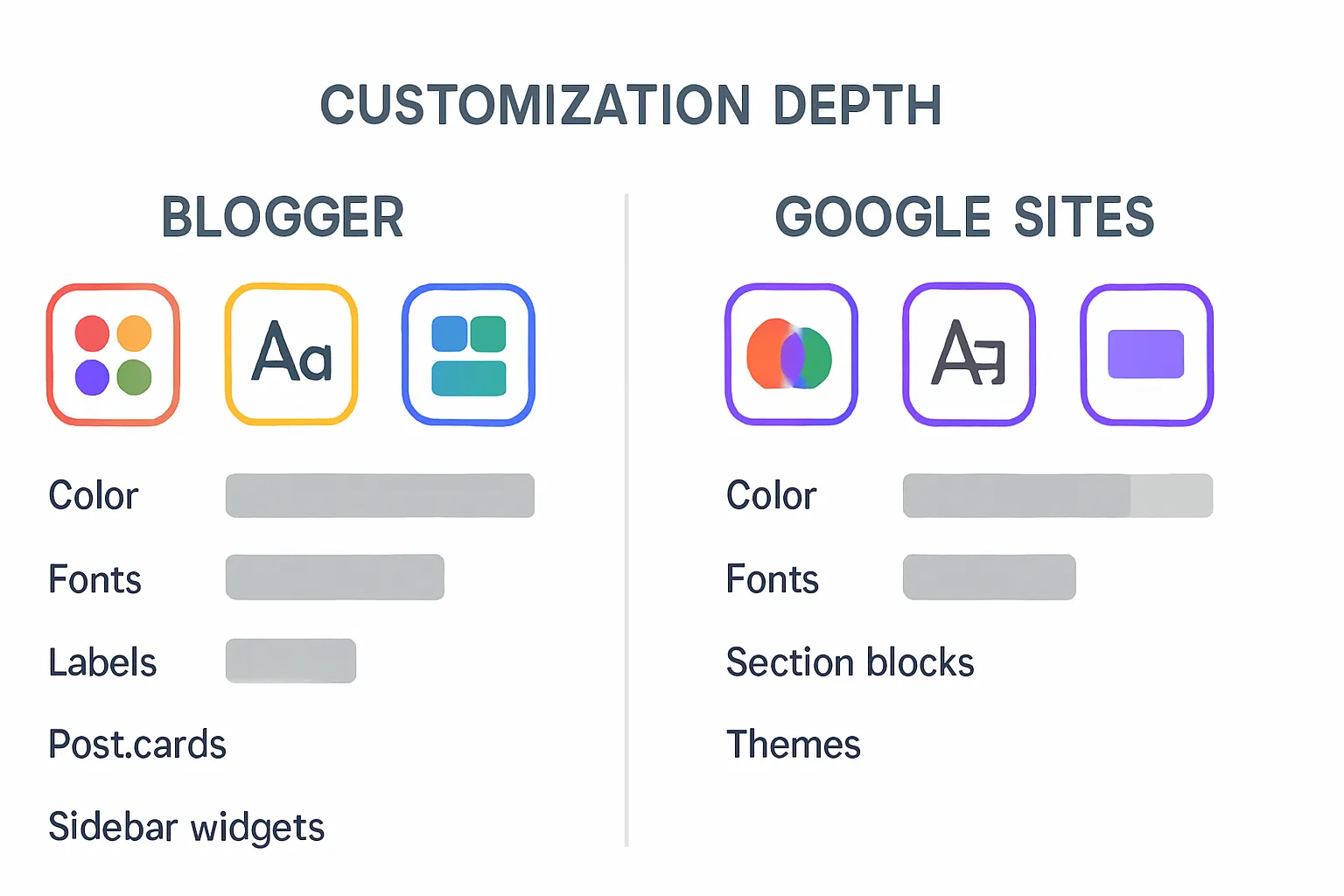
Theme options: Blog-focused themes with classic post lists, sidebars, and header areas. Layout/widgets (gadgets) let you add archives, labels, search, and custom HTML.
Styling controls: Color and typography tweaks are available in the Theme/Customize area for quick brand alignment.
Advanced edits: You can edit HTML/CSS for deeper control, tweak template code, and add custom snippets to enhance post cards or sidebars.
Mobile responsiveness: Modern themes are responsive, but custom HTML/CSS edits should be tested to ensure posts, images, and gadgets scale cleanly.
Google Sites
Template approach: A smaller, general-purpose template gallery with section-based layouts - great for simple pages, not purpose-built for blogs.
Themes panel: Quick color/font sets for brand consistency, but less granular control over individual post components or archives.
Strengths: Clean, on-brand internal sites, simple landing pages, and Drive-embedded hubs. Constraints: fewer blog-like layouts, no native post/archive components.
Takeaway
Blogger: more blog-centric layouts, post lists, labels, and sidebar components by default - easier to get a traditional blog look fast.
Sites: more uniform design for simple page structures; fewer deep customizations and limited blog-specific elements.
Blogging Features & Content Management
Choosing a google blog platform comes down to whether you need real blog mechanics (posts, labels, feeds, comments) or just simple pages. Here’s how Blogger (Blogspot Google) and using Google Sites as a blog compare for content creation, organization, and day‑to‑day updates.
Blogger
Core blog model: Create posts and pages with labels (categories), automatic archives by month/year, built-in search, and RSS/Atom feeds - everything you expect from a classic google blog site.
Engagement: Native comments with moderation tools and basic anti‑spam features; you can enable/disable per post.
Publishing controls: Drafts and preview, scheduled publishing, custom permalinks, and simple redirects make ongoing cadence easy.
Content organization: Labels power category hubs and help visitors discover related posts; feeds help readers subscribe and improve discoverability across readers and aggregators.
Typical use: Ideal for a google website blog that needs consistent publishing, a browsable archive, and familiar blog components found in many google blog examples.
Google Sites
Page-based structure: No native post type, archive listing, or feed. Content is built as pages, organized by a simple page hierarchy and navigation rather than blog taxonomy.
Comments: No public commenting; only collaborator comments for internal review. Better suited to static content or internal knowledge bases than active google blog hosting.
Suitable use: Good for lightweight update pages, internal project hubs, and simple microsites. For ongoing blogging, you’ll need manual date headers, “What’s new” pages, and hand-built indexes - less scalable over time.
Editorial workflow
Drafts and review:
Blogger: Draft/preview flow is straightforward; invite co-authors with basic roles to write and publish. Labels and feeds help maintain a consistent editorial taxonomy and make it easier to automate distribution.
Google Sites: Strong real-time collaboration and version history for co-editing, but no “post” objects or draft-to-post workflow. Publishing is site-wide and page-centric, so keeping a steady blog cadence requires manual conventions.
Publishing cadence and consistency:
Blogger: The presence of posts, labels, archives, and feeds encourages a regular rhythm - helpful for visibility and reader expectations on a blog google audience.
Google Sites: Works best when you don’t need a running archive or RSS. For content that changes infrequently, Sites’ uniform page model keeps things simple but lacks blog-specific consistency.
Bottom line: For a classic blogspot google experience with built-in taxonomy, feeds, and comments, Blogger is the more robust google blog site google option. Google Sites delivers a clean, collaborative page builder but isn’t a full blog CMS - great for static pages, lighter documentation, and internal hubs rather than ongoing blogging operations.
I’m ready for the next section whenever you are.
Domains, Hosting, and Monetization
Choosing a google blog platform also means understanding how domains, SSL, and revenue work. Here’s how Blogger (Blogspot) and Google Sites differ for domain setup, secure hosting, and monetization options.
Blogger
Custom domain mapping: Point your domain via CNAME/A records; setup is straightforward for a blog google audience moving from a blogspot subdomain.
Free SSL: Automatic HTTPS on both Blogspot subdomains and mapped custom domains for secure google blog hosting.
Reliability: Google-hosted infrastructure with lightweight pages that load fast.
Monetization: Native AdSense workflow designed for blogs - enable ads per site/post with built-in placements.
Google Sites
Custom domain mapping: Configure a custom domain in the site settings; delivery is via Google infrastructure with automatic SSL.
Monetization limits: No native AdSense in the new Google Sites; ads aren’t supported like Blogger. You can link out to sponsors or CTAs, but ad placement isn’t integrated.
Use-case implications
Blogger: Best for hobbyists and personal publishers who want to map a custom domain, serve HTTPS, and monetize with AdSense quickly.
Google Sites: Best for informational pages, internal hubs, and simple public sites where monetization isn’t a priority.
"The new Google Sites does not support AdSense integration." - Source
Pricing, Support, and Data Ownership
Making the right choice between Google Blogger and Google Sites also comes down to what you’ll pay, how you’ll get help, and how easy it is to take your content with you.
Pricing
Both platforms are free to use. The only common cost is registering a custom domain if you want one.
Support & community
Blogger: You’ll find product documentation and user forums. While major releases are infrequent, the platform remains maintained and stable for a classic blog google setup.
Sites: Backed by extensive Google Workspace documentation and community help. Maintenance is steady as part of Google’s app suite.
Data ownership & portability
Blogger: Export via Blogger’s native export (XML) and Google Takeout. Because of posts, labels, and feeds, migration to other blogging tools is more straightforward.
Google Sites: Export via Google Takeout. Since content is page-based, moving to a true blog CMS often requires manual restructuring of posts, archives, and feeds.
Limits to know
Blogger: Account-level limits include the number of blogs per account and post/page constraints. For most users, the practical limit to note is total blogs per account.
Google Sites: Practical constraints center on page simplicity and lack of native blog objects (no posts/feeds), which can affect long-term scalability for a content-heavy blog.
"Each Google account can create up to 100 blogs; Blogger also provides export options to back up your content." - Source
Migration Paths: Blogger ↔ Sites and Beyond
Moving platforms doesn’t have to crush your rankings or break your workflows. Here’s how to transition cleanly between Google Blogger and Google Sites - and when it makes sense to choose a third option built for growth.
Moving from Blogger to Google Sites
When to do it: Rare - usually when replacing a blog with a simple site, wiki, or internal hub where posts and feeds are no longer needed.
Steps:
Export content: Use Blogger’s XML export to back up posts/pages.
Reformat in Sites: Copy essential articles into page sections; use a simple navigation and “Updates” page if you still want a timeline.
Recreate navigation: Build a clear menu and internal links; consider a “Resources” hub to house former blog content.
Redirects: If your domain changes, set DNS/domain-level redirects; where feasible, create page-level redirects or “moved” notices for top posts.
Moving from Google Sites to Blogger
When to do it: You need true blogging - posts, labels/categories, archives/feeds, comments, and monetization.
Steps:
Inventory pages: Identify which pages become posts, which remain static pages (About, Contact, Docs).
Taxonomy plan: Map categories/labels to align with your content pillars and internal linking strategy.
Rebuild as posts: Paste content into Blogger posts, add labels, set permalinks, and schedule for consistent publishing cadence.
Domain and discovery: Map your custom domain in Blogger, connect Search Console, and submit your sitemap/feed.
Moving to a third option
WordPress.org: Best for maximum flexibility, plugins, and advanced SEO controls when you need a full CMS.
BlogBowl: Ideal for teams/startups that want automation-first publishing - fast, SEO-optimized templates, custom domains, built‑in analytics and newsletter tools, and AI that handles keyword research, internal linking, and daily post generation.
Minimizing SEO impact
Maintain URL structures where possible; map legacy slugs to new slugs.
Set up 301 redirects for every high-traffic/linked URL; avoid blanket home redirects.
Resubmit sitemaps and request indexing in Search Console; keep the same GA property where possible to preserve continuity.
Update internal links, navigation, and canonical tags; refresh top posts first and monitor coverage and ranking changes post-migration.
Final Verdict: Which One Should You Choose?
If you want a real google blog platform with RSS, labels, comments, and AdSense in minutes, choose Blogspot Google (Google Blogger Blogspot). If you need a simple google website blog with Drive embeds and team co-editing - but not ongoing blogging - using Google Sites as a blog is fine. If growth, SEO, and automation matter, consider BlogBowl.
Recommendations
Choose Blogger if you want a real blog with feeds, labels, comments, and AdSense in minutes.
Choose Google Sites if you need simple pages or internal wikis with Drive embeds and easy collaboration, not a growth-focused blog.
Consider a third option like BlogBowl if your goal is organic growth, automated content production, fast SEO templates, and multi-blog management without engineering.
Decision Matrix | Blogger (Blogspot) | Google Sites | BlogBowl (Third Option) |
|---|---|---|---|
Goal | Publish a classic blog google setup with posts, labels, and archives | Build simple pages, wikis, or internal hubs | Launch growth-ready blogs with automation and analytics |
Setup time | Minutes to first post | Minutes to first page | Under a minute to live blog |
Blogging essentials | Posts, labels, archives, RSS, comments | No native posts/feeds/comments | Full blog system with automated content |
SEO control | Titles, permalinks, feeds; basic SEO | Minimal SEO controls | SEO-optimized templates + automatic internal linking |
Monetization | Native AdSense | No native AdSense | Built-in newsletter; growth-first approach (ads optional) |
Collaboration | Basic author roles | Excellent Drive-style co-editing | Multi-author, multi-blog management |
Data export | Native export (XML), Takeout | Google Takeout | Easy export; migrate anytime |
Scalability/growth | Good for simple blogs | Limited for ongoing blogging | Built for scale and organic growth |
Best for | Personal/hobby blogs and simple monetization | Informational sites and internal pages | SaaS/startups aiming for traffic and authority |
Next steps
Test on a subdomain first to validate your structure, navigation, and SEO (e.g., blog.example.com or example.com/blog).
If growth and automation are priorities, explore BlogBowl’s fast SEO templates, AI-driven publishing, custom domains, analytics, and newsletters: https://www.blogbowl.io